Your server disappears after an account compromise. You still have yesterday’s SQL export, but the store logos, configuration file and custom template are gone. That website backup saved part of the business, not a working site. Recovery needs a matched set of files and data, plus somewhere you can safely rebuild them.
couponPHP is a self-hosted PHP coupon and deal website script with database records, uploaded images and configuration files. Its backup plugin history matters because those components need protection together; automated coupon imports don’t recreate your editorial work or subscriber records.
Website backup starts with a recovery target
Say a coupon site in Leeds publishes 20 manually checked offers every weekday. Losing one day’s edits may be acceptable; losing a month’s subscriber registrations may not. Decide how much recent data you can lose before choosing a schedule.
The recovery point objective, or RPO, is that acceptable data-loss window. The recovery time objective, or RTO, is how long you can afford to stay unavailable. CISA’s Back Up Business Data guidance, consulted in 2026, recommends scheduled recovery tests to verify backup integrity and refine these objectives.[1]
A daily copy can leave almost a day of changes unprotected. A shorter tolerance needs more frequent database protection, not hourly copies of unchanged code.
Write down what recovery means: the homepage works, an administrator can sign in, store images load, and offers retain their destination links. That’s a better acceptance test than “the archive opens.”
Keep copies outside the same failure domain
A backup directory on your hosting account is convenient until the same compromised account deletes both the site and its backups. A second folder isn’t independent protection. A disk mirror also won’t undo an accidental deletion copied to both disks.
The FBI and CISA’s joint AvosLocker advisory (2023) recommends the 3-2-1 rule: three copies of data, on two different media, with one copy off-site.[2] The production copy counts as one; you need two backup copies. The same advisory recommends offline copies and protection against alteration or deletion.
For a small site, you could combine the live server, an off-site backup account and an encrypted offline copy on a separate device. Check the actual storage and access arrangements rather than counting differently named folders as different media.
Separate credentials matter too. If the site’s API key can delete all historical backups, an attacker who steals it can remove your recovery options. Where supported, limited upload permissions and protected retention reduce that risk. Keep encryption keys accessible to authorized staff outside the server you’re protecting.
Back up the files that make the site yours
A feed can replace some imported offers, but it won’t recover your template edits or manual store descriptions. Inventory the document root, uploads, configuration, rewrite rules and any files stored outside the public directory. Keep a private note of the PHP version, required extensions and cron commands.
Your server requirements and cron setup instructions help rebuild the environment. Don’t treat them as substitutes for your own settings: usernames, database names and absolute paths differ between accounts.
On shared hosting without shell access, a file archive and database export from your control panel may be the available route. Check that hidden files are included and that the export completed. A plugin can automate this, but its success notification should be followed by file-size checks and restore tests.
Backups can contain database passwords and personal information. Storing them outside the public web root is preferable. If an old plugin writes to /backups inside it, apply the server’s access-denial rules and test that an unauthenticated browser cannot download an archive.
Make a consistent database dump
A live database changes while a dump runs. Copying raw database files from a running server can produce an unusable set. For a small transactional database, a logical export creates SQL statements that can be imported into a replacement database.
This shell example assumes an installed mysqldump client, an existing private directory and a credentials file. Replace the account path and database name. The credentials file should contain a [client] section with the connection details and be readable only by its owner.
umask 077
mysqldump --defaults-extra-file=/home/site/.backup.cnf \
  --single-transaction --quick site_database \
  > /home/site/private-backups/database.sql.tmp && \
  mv /home/site/private-backups/database.sql.tmp \
     /home/site/private-backups/database.sql
Using a temporary filename prevents a failed export from replacing the last completed dump. It’s still a single-copy example; your scheduled process should create dated generations and transfer completed files off-site.
The MariaDB dump manual hosted by Debian, consulted in 2026, requires --defaults-extra-file to be the first option and warns against passwords on the command line.[3] --quick retrieves rows progressively. --single-transaction provides a consistent snapshot for transactional tables such as InnoDB, not changing MyISAM tables. Avoid schema changes during the dump.
Use the client that matches your database system. Some MariaDB installations provide mariadb-dump instead of mysqldump. If your application uses stored routines or scheduled database events, assess the relevant export flags and required privileges. Neither feature should be assumed from a normal table dump.
Calculate retention before storage fills
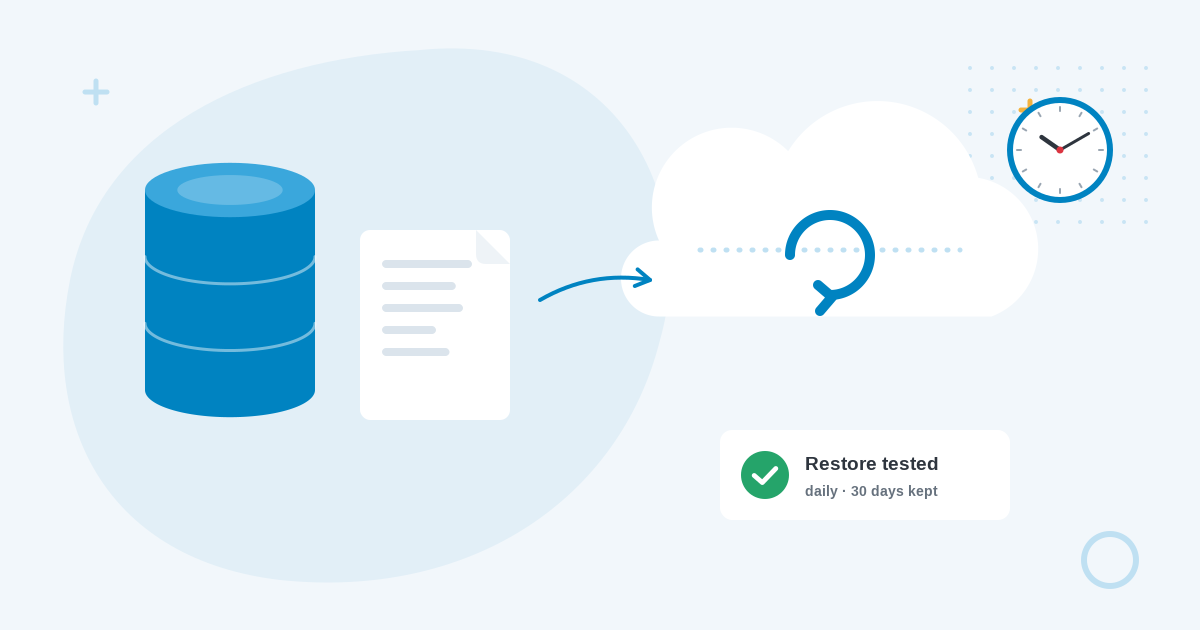
A “30 backups” limit says little without the size of each set. Suppose one compressed file archive is 240 MB and its database export is 60 MB. Using decimal units, one set is 240 + 60 = 300 MB. Thirty full sets use 30 × 300 = 9,000 MB, or 9 GB.
That leaves only 1 GB in a nominal 10 GB allocation before growth or other files. The example isn’t a prediction of your site’s compression ratio. Measure completed archives and allow space for a new backup before an old one is removed.
A possible small-site policy is seven daily sets, four separate weekly sets and three separate monthly sets. Fourteen 300 MB sets use 4,200 MB, or 4.2 GB. This trades daily historical detail for a longer recovery window. Your retention should match how quickly you notice bad imports, deletions or compromise.
The original 2016 announcement
The following records the plugin and storage offer announced on 29 September 2016. Prices, quotas and availability are historical, not current purchase terms. The warning about testing on your own hosting still applies.
We’ve just released a new plugin that automatically backs up your database and files. We’ve especially designed it to work on shared hosting, so it may be slow but it doesn’t use any shell commands.
It saves database and file backups in the /backups folder in separate files. In the plugins’ settings page there are instructions on how to block access from the outside world to this directory. The plugin costs $39; you can install it on as many sites as your CouponPHP license allows you.
We highly recommend not keeping the backups in the same datacenter or hosting company where you have your website. Download them on a regular basis to some outside storage. If you want, there is a built-in integration with our Cloud Backup Storage that automatically stores your backups on our secure server that we back up regularly. The files can only be accessed with your unique API key for the plugin. The storage costs $4.9 per month and includes 30 slots and a maximum of 10GB space. Each slot can keep 1 database and 1 files backup.
Due to possible constraints of your hosting company there may be some difficulties running the plugin; we recommend testing it on your hosting before completely relying on its independent work.
Frequently asked questions
What should a website backup include?
Include the application files, uploaded images, database, configuration and the information needed to rebuild the hosting environment. A database export alone won’t restore uploaded store logos. A file archive alone won’t restore coupons or users. Keep related files and database copies together with a timestamp and restoration notes.
How often should I back up a coupon website?
Choose a frequency based on the amount of work you can afford to lose. If losing a day’s submissions is unacceptable, a daily database dump is too infrequent. Back up before software updates and major imports, and keep older versions so an unnoticed mistake doesn’t overwrite every usable copy.
Does a successful backup job prove the website can be restored?
No. A completed job may contain missing files, inconsistent tables or credentials that no longer work. Restore a selected backup into an isolated test environment and check login, images, coupons and background jobs. Record the recovery time and any missing steps, then revise your instructions before an actual outage.
Schedule a restore, not just another copy
For your next website backup test, restore into a separate database and private staging site. Disable outgoing email and feed jobs first so the test doesn’t contact real subscribers or duplicate production imports. Time the recovery and keep the corrected instructions beside your off-site copies.