Your new host says it supports PHP and MySQL. The homepage loads, but the offer import fails and store pages return 404 errors. PHP MySQL hosting is a compatibility decision before it’s a price comparison. A successful installation needs the right runtime, database access and background-job permissions working together.
couponPHP is a self-hosted PHP coupon and deal website script. Its recovered server requirements list PHP, MySQL, Apache with mod_rewrite, ionCube Loader, cURL, GD and iconv. Those names are a starting checklist; they don’t establish that every current version works with every historical script package.
PHP MySQL hosting: test the exact application build
A host’s “latest PHP” label can be a problem for encoded software. Your website code and Loader must both support the selected PHP runtime. A plugin can add another constraint. Ask which version your specific package requires before choosing an account.
The PHP Group’s supported-version schedule, consulted in 2026, lists PHP 8.2 security support ending on 31 December 2026 and PHP 8.3 ending on 31 December 2027.[1] A supported PHP branch is desirable, but this doesn’t establish couponPHP compatibility with those versions. Don’t solve an old package problem by leaving an unsupported runtime exposed indefinitely.
A useful pre-purchase question is concrete: “Can this account run my supplied application build, including its encoded files and CLI import commands, on a supported PHP version?” An answer about PHP in general isn’t enough. Ask support about the package if its compatibility details are missing.
Check extensions and the database connection
A store page works until an import tries to fetch an external feed. PHP can run without the cURL extension, so the host’s PHP support alone won’t prevent that failure. Image processing and character conversion have separate dependencies too.
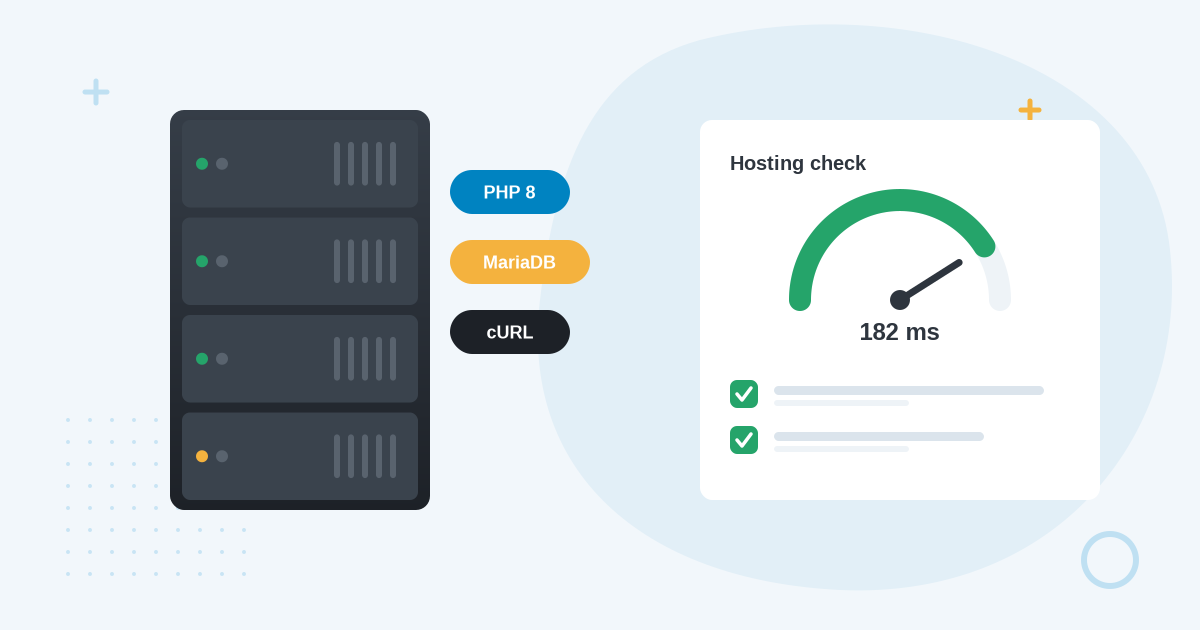
Check cURL, GD and iconv in the website’s PHP environment. Then identify the database driver the application actually uses. MySQLi or PDO MySQL may be required depending on the code; don’t claim both are mandatory without checking your package. The PHP Group’s MySQLi requirements documentation, consulted in 2026, also records authentication mismatches between older PHP clients and newer database servers.[2]
On an account with terminal access, these are useful diagnostics:
php -v
php --ini
php -m
They show command-line PHP, which may differ from the website runtime. Your hosting panel or a restricted diagnostic page can show the web settings. Remove public diagnostic pages afterward because they expose configuration details.
For MySQL or MariaDB, test the installer and a representative import against the proposed server. Don’t infer complete compatibility from similar names: authentication, SQL modes and collation choices can expose differences. Keep the database user scoped to the application’s database, with the privileges its installer and updates require, rather than giving it server-wide administrative access.
Verify routes before moving your indexed pages
Your homepage can load while every clean store URL fails. That usually points to routing rather than a missing database. Test a store page, category page and coupon detail page during the trial, using the same URL structure as the live site.
Apache Software Foundation’s mod_rewrite documentation, consulted in 2026, explains that rewriting must be enabled and permitted in the relevant context.[3] When the application supplies .htaccess rules, the server must allow the applicable overrides. “Apache installed” doesn’t confirm that those rules are active.
Nginx needs equivalent server-level routing configuration rather than the Apache file. Since the recovered requirements specify Apache, treat an Nginx deployment as a configuration task to validate—not a documented drop-in replacement. A host should test the actual rules before DNS changes.
Your SEO and URL features depend on stable routes. Changing hosts shouldn’t silently change store URLs or turn useful pages into 404 responses.
Judge resources by imports and concurrency
Say your coupon site gets 300 visits a day. Most arrive quietly, but a newsletter sends 40 people to the same deal while a feed job processes images. Daily visits don’t describe that moment. CPU time, database queries and concurrent PHP requests do.
PHP-FPM manages PHP worker processes. The PHP Group’s FPM documentation, consulted in 2026, says pm.max_children limits simultaneous requests.[4] On shared hosting, your account may have other process or CPU restrictions even when the server has plenty of RAM.
Ask for the account’s memory, process, CPU and execution-time limits, plus the rules for long-running cron jobs. Test the biggest expected import while opening real store pages. If you administer a VPS, measure worker memory and leave room for the database and operating system before increasing worker counts.
A 256 MB memory_limit isn’t 256 MB of reserved server memory. It limits allocations within a PHP script, as described in the PHP Group’s core configuration manual, consulted in 2026.[5] Raising it can help a measured memory failure, but it won’t repair slow database queries or create RAM the server doesn’t have.
Choose shared hosting or a VPS by responsibility
Shared hosting can be a sensible starting point when it supports the exact runtime and lets the scheduled imports finish. The provider manages much of the operating-system work. Your trade-off is less control over extensions, resource ceilings and server configuration.
A virtual private server gives you more control, including PHP-FPM settings and separate background services. It also gives you maintenance work. An unmanaged VPS without patching, log review and tested backups is a poor bargain, even if its advertised CPU allocation is higher.
Before buying either option, confirm these practical points:
- Cron can run at the required intervals, using the correct PHP executable.
- Outbound HTTPS feed requests and authenticated mail submission are allowed.
- You can access error logs and export the database without opening a support ticket.
- Backups are available outside the live account, and restoration has a defined process.
The feed overview explains why scheduled connections matter. Use the cron setup guide to test background work during the trial rather than after launch.
The original 2016 hosting announcement
This announcement records the service and prices published on 15 November 2016. Availability, compatibility and payment terms below are historical. The third-party partner name is retained without its old commercial link.
Many of our customers have been asking us to recommend them a hosting company for our script to run smoothly and where its installation would be fast and easy.
Before this moment we’ve been recommending Bluehost as our partner.
So answering these calls we have launched a new high quality hosting service especially for our dear clients. It is 100% compatible with our script and provides everything you need for stable work.
The standard options are:
- Free single Coupon PHP migration from your current hosting or a new installation or an update
- Unlimited domains
- cPanel control panel
- Secure FTP files upload
- 10GB space
- RAID disk controller
- Brand Intel Xeon Servers
- ionCube Loader
We have 2 price options, it is just $9.95 for annual payments and $11.95 for biannual. You can purchase this service from your CouponPHP.com member area or by contacting our support at support@couponphp.com.
Frequently asked questions
What does PHP MySQL hosting need for a coupon script?
It needs a PHP runtime compatible with the exact application build, a suitable MySQL or verified MariaDB database, the required PHP extensions and working URL routing. Encoded builds may need ionCube Loader. Confirm cron access, outbound feed connections, mail settings and restorable backups before committing to the account.
Is shared hosting enough for a coupon website?
Shared hosting can work if its runtime supports your script and its resource limits accommodate real imports and visitor requests. Test those jobs together rather than judging by daily visitor count alone. A VPS offers more configuration control, but someone still has to patch, monitor and back up the server.
Can I use the newest PHP version with an old script?
Don’t assume so. The application code, plugins and encoded files must all support the selected PHP version. Test an exact copy in staging and check the supplier’s compatibility information. If the package only runs on an unsupported branch, request a supported update instead of treating old PHP as a permanent production solution.
Buy after one complete trial
Before changing DNS, complete an installation, a feed import, an email test and a private restore rehearsal. Keep the results and relevant limits in your account notes. That evidence tells you more about suitable PHP MySQL hosting than a hardware brand or an unlimited-domain claim.