Say a Leeds coupon site has years of registered accounts but no reliable newsletter history. Exporting every address takes minutes. Deciding which people can receive a Friday deals email takes longer. Your Mailchimp integration should preserve that distinction: an account is useful for saving coupons, while a subscription is permission to send a particular kind of message.
couponPHP is a self-hosted PHP coupon and deal script with users, subscribers and a historical Mailchimp plugin. The original announcement below explains how that plugin connected new accounts and exported older records. Today’s job is to check compatibility and make the sync respect consent and opt-outs.
Plan your Mailchimp integration around subscription status
A “Create account” form doesn’t explain daily marketing emails. Separate newsletter consent with an unticked “Email me the weekly UK deals roundup” option. State frequency and link privacy information.
The UK Information Commissioner’s Office, or ICO, in its guidance accessed in 2026, says marketing email to individuals generally requires specific consent, with a limited exception for an organisation’s own qualifying customers [1]. Don’t assume a free account on an affiliate coupon site meets that exception. The guidance is under review after legislative changes, so check the rules applicable to your audience and business.
Store the consent time, collection source and wording version with the subscriber record. Keep account verification separate: confirming that someone controls an email address doesn’t automatically show they agreed to your newsletter. Our email list-building guide covers the signup proposition; the integration must preserve the resulting choice.
Mailchimp calls the collection an audience in its interface, while Marketing API routes still use list identifiers. Its member statuses include subscribed, unsubscribed, cleaned and pending. Map your local state explicitly rather than forcing every new record to subscribed. A pending confirmation isn’t a campaign-ready subscriber.
Export existing contacts without importing old mistakes
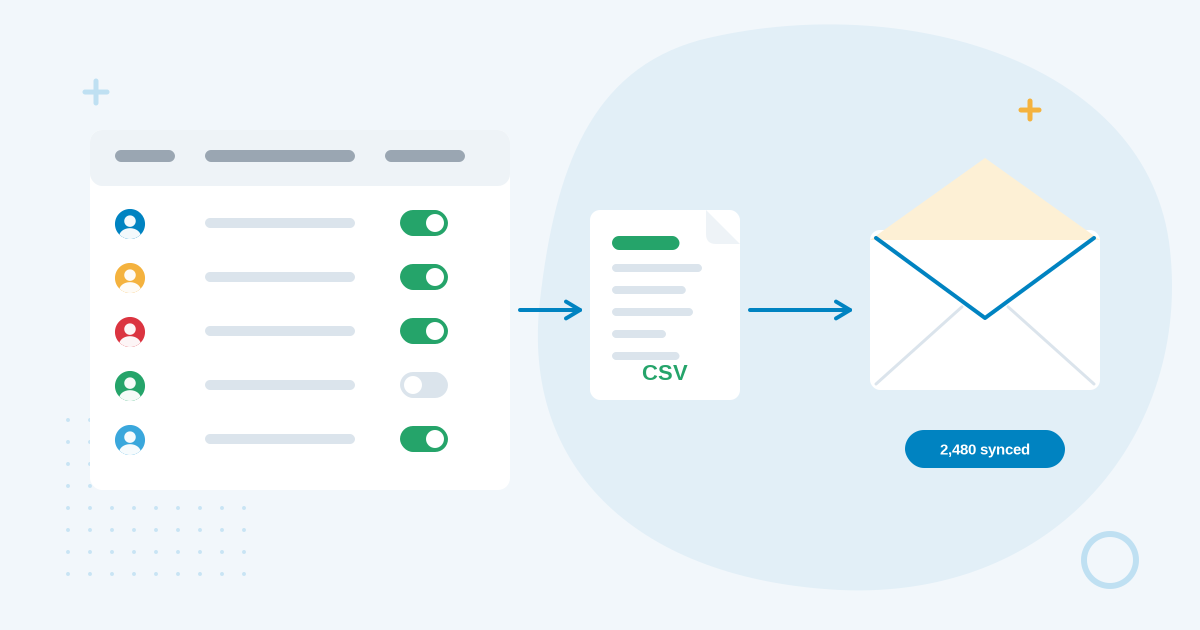
Two downloads can contain the same address: one from registered users and another from newsletter subscribers. Importing both without a reconciliation step can overwrite preferences or hide why a person was added.
A safer migration uses a restricted working copy of your exports. Preserve original addresses, remove surrounding whitespace and compare records consistently without removing dots or plus-address suffixes. Those changes can alter the intended address. Reject malformed entries, identify duplicates and check the suppression list before choosing the final import set.
A minimal audit file might look like this:
email,marketing_state,consent_source,consent_at
reader@example.org,subscribed,weekly-deals-form,2026-11-20T09:15:00Z
former@example.org,unsubscribed,unsubscribe-link,2026-11-21T14:20:00Z
This is an audit example, not a universal Mailchimp import template. Map its fields to the audience’s actual fields, and import only eligible marketing contacts. If two records disagree, don’t let the newer account creation date erase an unsubscribe. Investigate a genuine later subscription request separately.
Try a controlled batch and check the audience and resulting status. Record accepted, skipped and rejected counts. Delete unnecessary temporary exports; personal-data CSVs shouldn’t sit in public directories.
Connect PHP on the server and test the full round trip
A copied API key in browser JavaScript can give visitors access to your email account. Keep credentials in server-side configuration, restrict access and exclude them from source control. Rotate any key exposed in a template or log. Confirm the audience ID and the API version the installed adapter supports before using production data.
For a custom integration, use this boundary: the browser submits a newsletter choice to your PHP application; PHP validates it, records permission and submits the appropriate member data to the platform. The Marketing API member request requires email_address and status, with the audience identified by list_id. Optional merge fields must match your audience configuration.
A background queue can keep registration usable if the platform is unavailable. Store a local operation ID and the desired change; make retries safe against duplicates. Authentication errors need configuration repair, validation errors need record correction, and transient failures can be retried with a delay. Don’t retry every failed request endlessly.
For scheduled queues, use the cron setup guide. Check destination status, not just whether cron ran.
Test these scenarios before enabling the Mailchimp integration for visitors: an account without newsletter consent, a new consenting subscriber, an existing subscriber and a previous unsubscribe. Then unsubscribe your test address in the email platform. Confirm that local state changes through a verified webhook or periodic reconciliation, and that the next sync leaves the opt-out intact. Webhook requests are untrusted input and need validation before changing records.
Judge the connection by deliverable subscribers
A large audience can still be wrong. Report eligible subscriptions, pending confirmations, suppressed records and sync failures separately.
US rules differ from UK consent rules. The Federal Trade Commission’s CAN-SPAM guide (2023, updated 2024) requires truthful message information, a valid postal address and a clear opt-out; requests must be honoured within 10 business days [2]. That’s a legal maximum, not a reason to delay a functioning unsubscribe.
Measure offer clicks with your affiliate marketing metrics. The acceptance test: an opt-out stays excluded after account updates and repeated imports.
The original 2016 plugin guide
Archive notice: Published on 19 October 2016. The plugin features, $29 price and menu paths below are historical. “Exports all new users” must not be read as permission to subscribe everyone today. Check your installed adapter and current availability before following these steps.
We’ve just released a plugin that performs 2 functions:
- Automatically exports all your new users to your Mailchimp List
- Allows you to create a subscription form in your CouponPHP template
With the Mailchimp settings set in your plugin’s settings it connects to your CouponPHP user creation procedure and exports all new users’ emails to your Mailchimp list. There is no additional actions required.
User subscription form is quite easy to create, we have already one in our Premium templates and if you’re using custom ones you can easily just copy-paste the html/javascript piece of code into your template.
The plugin needs 2 parameters: Obviously your Mailchimp API Key, that allows it to access your Mailchimp account and the second one is a list id, to identify the list you want the emails to be stored in.
To get your Mailchimp API Key follow these steps:
- Click on your username at the top-right column
- In the dropdown click at Account
- In the center of the page in the menu click at Extras
- In the dropdown click at Account
- If you don’t have yet an API key click at Create A Key
- Simply copy-paste the full API Key in your API Key field in the plugin’s settings
To get your Mailchimp List Id follow these steps:
- Click on List menu item at the top-left corner
- Choose the list and click on it’s name
- In the center of the page in the menu click at Settings
- In the dropdown click at List name and defaults
- In the right column on the top of the page you’ll see a section List ID
- Simply copy-paste the id that looks like d73dc1f89c in your List id field in the plugin’s settings
How to export all your users’ emails that have registered before the plugin was installed?
In your admin panel:
- Navigate to Users > Manage Users
- Click at Download All link
- Navigate to Users > Subscribers
- Click at Download All link
- In in your Mailchimp account navigate to Lists
- In your list’s right column click on menu and choose Import
- Opt-in for CSV or tab-delimited text file
- Upload both files using this procedure
If you don’t have Download All links then simply update your script to the latest version.
The Mailchimp integration plugin’s costs $29 and it can be purchased in your member area (today: email support@couponphp.com), it has the same limits on domains it can be installed as your CouponPHP license.
Frequently asked questions
Can I import every registered user into Mailchimp?
You can export account records, but registration alone does not establish permission to send marketing. Review the consent evidence and applicable rules before importing anyone as subscribed. Exclude previous opt-outs and invalid addresses. Keep people without a valid marketing basis out of campaigns rather than treating a successful import as permission.
Does the old plugin still work with current Mailchimp accounts?
The recovered announcement describes a 2016 plugin, not a current compatibility guarantee. Check its API version, supported PHP environment, audience configuration and handling of subscription status. Test registration, confirmation and unsubscribe with controlled addresses before enabling automation. Old account-menu instructions and the historical price should not be treated as current purchasing information.
How do I prevent unsubscribed users being added again?
Keep a suppression record and consult it before every import or background sync. Record opt-outs locally and reconcile changes received from the email platform. A returning user or repeat CSV upload should not erase that preference. Re-subscription needs a new, recorded request from the person rather than an automatic update to subscribed status.