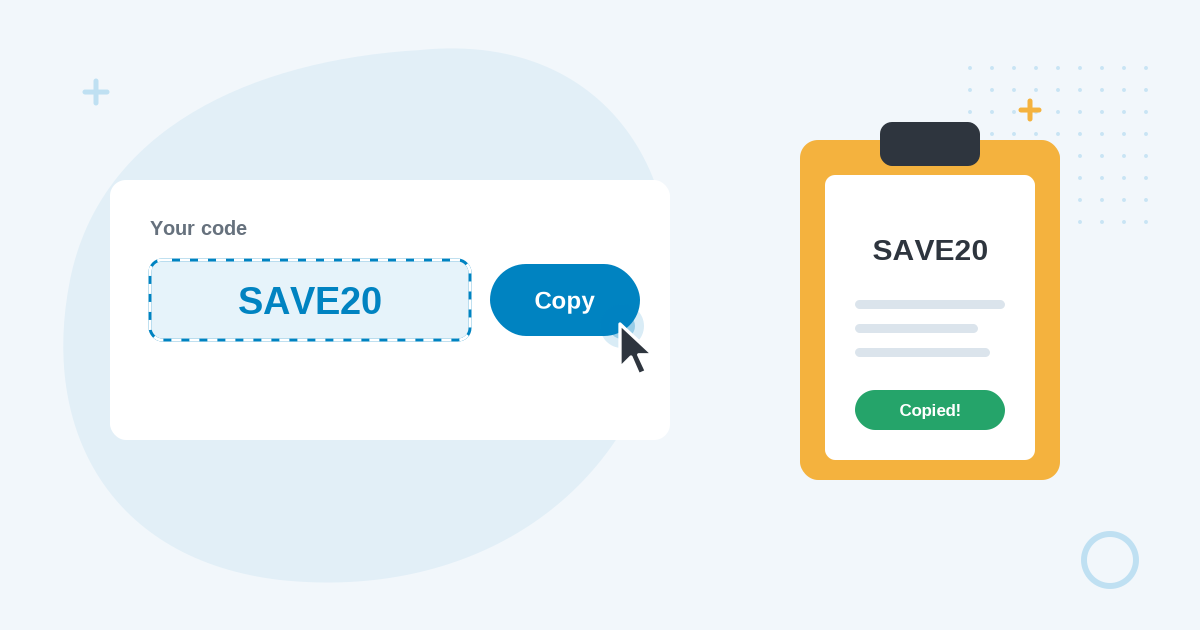
A visitor taps “Copy” for SAVE15, opens the shop and pastes last night’s message instead. Your page said the coupon was copied, but the browser refused the write. Good copy to clipboard JavaScript checks the result and leaves a usable alternative. A green button shouldn’t claim something your code hasn’t confirmed.
couponPHP is a self-hosted PHP coupon and deal script whose templates have historically included copy-code popups. The recovered 2016 fix removed Flash from Finland and Bootstrap themes. A current implementation should use the Clipboard API, with a visible code field that still works if automatic copying fails.
Copy to clipboard JavaScript starts with HTTPS
An old HTTP installation may show the button and run its click handler while exposing no modern clipboard interface. MDN’s writeText() documentation (2025) states that the method requires a secure context and returns a promise that resolves after updating the clipboard [1]. A rejected promise can include NotAllowedError.
For a public coupon website, HTTPS is the normal secure-context requirement. Some local development origins, including localhost, can be treated as trustworthy. That exception doesn’t make a live HTTP domain safe. Check window.isSecureContext in the actual deployed page, not just on your laptop.
The surrounding context matters too. An HTTPS iframe inside an insecure page may not have the access you expect, and browser policies can restrict clipboard writes. The W3C Clipboard API specification (accessed 2026) describes permission and security considerations. Your interface should handle refusal without asking visitors to weaken their browser settings.
Calling the API from the Copy click is the safest starting point. If you fetch the code or wait for an animation before calling it, transient user activation may expire. Render the code before the click so it is ready to write immediately. There is no need to read the visitor’s clipboard to copy a coupon; avoid asking for access you don’t use.
A working example with legacy and manual fallbacks
A common example catches an error and logs it, but leaves the visitor staring at a silent button. This version reports the result through a live status message and keeps the coupon selectable. It is a standalone pattern to adapt to your template, not a replacement file for every historical theme.
<label for="coupon-code">Coupon code</label>
<input id="coupon-code" value="SAVE15" readonly>
<button id="copy-code" type="button">Copy code</button>
<p id="copy-status" role="status" aria-live="polite"></p>

<script>
const field = document.getElementById('coupon-code');
const button = document.getElementById('copy-code');
const status = document.getElementById('copy-status');

function legacyCopy() {
  field.focus();
  field.select();
  field.setSelectionRange(0, field.value.length);
  try {
    return document.execCommand('copy');
  } catch {
    return false;
  }
}

button.addEventListener('click', async () => {
  const code = field.value;
  status.textContent = '';
  let copied = false;

  if (window.isSecureContext && navigator.clipboard?.writeText) {
    try {
      await navigator.clipboard.writeText(code);
      copied = true;
    } catch {
      // Browser policy may reject the modern request.
    }
  }

  if (!copied) copied = legacyCopy();

  if (copied) {
    status.textContent = 'Copied. Paste the code at checkout.';
    button.focus();
  } else {
    field.focus();
    field.select();
    field.setSelectionRange(0, code.length);
    status.textContent =
      'Automatic copy failed. Copy the selected code manually.';
  }
});
</script>
The modern path calls navigator.clipboard.writeText(code) directly in the click handler, before other asynchronous work. It waits for completion before showing success. The fallback uses the existing visible field rather than inserting an invisible element that could interfere with focus.
MDN’s execCommand() documentation (2026) marks that method as deprecated and non-standard [3]. Keep it as a compatibility attempt, not the foundation of new code. It may return false, throw or lose access after the modern request fails. The manual option remains available in every case; on a phone the visitor may need to long-press the code.
A readonly field is selectable. A disabled field is a poor substitute because visitors may be unable to focus or select it. If your template uses an inline code label, provide another selectable control when the automatic operation fails.
Separate copying from opening the merchant
“Copy and visit” sounds convenient, but it can hide a timing problem. Navigation may destroy the page before the clipboard promise completes; a popup opened after an awaited operation may be blocked. Your copy to clipboard JavaScript shouldn’t promise both outcomes without testing the actual sequence.
I prefer separate controls: “Copy code” and “Visit store.” The extra tap makes each outcome clear and gives you honest measurements. If you retain a combined control, test it in each supported browser, including popup blocking and clipboard refusal, and keep the visible code available.
Track a successful copy separately from an outgoing merchant click. Neither proves a completed sale. Your affiliate metrics should preserve those distinctions rather than label every button interaction a conversion.
Find template problems before changing the API
A working standalone demo can fail inside a coupon popup because the real button is inserted after your listener is attached. In that case, bind after rendering or use event delegation from a stable container. Give each coupon its own code element; duplicate IDs can copy the wrong offer.
When copy to clipboard JavaScript fails, look for an earlier console error, a missing asset, cached code or competing click handlers. Test the active template rather than another theme’s files. Escape dynamic coupon values for the HTML attribute context so a quotation mark cannot break the field.
A useful acceptance test copies two different codes in sequence and pastes them into a plain text editor. Try keyboard activation, mobile Safari, Chromium and Firefox, plus a deliberate denied-permission case. Test the deployed HTTPS origin. The server requirements and support contact help identify your installation, but browser behavior must be checked at the front end.
The original 2016 clipboard fix
Archive notice: Published on 15 August 2016. This is a historical patch announcement, not a claim that its archive is compatible with your current installation. The recovered file list contains a repeated header path; it is retained below. Markdown emphasis around filenames has been repaired, without changing the paths.
We’ve decided to change our tactic. Usually we do big updates with many fixes in one, despite that it is very convenient for us it forces you as clients wait for long for the bugs to be fixed. So we’ve decided make the changes, we will roll out some bug fixes and new features to our Coupons&Deals Script right after they are done and allow you to download it for free and update your script right away. And we will still make new versions with all the fixes included.
So here is the first fix that some of our clients were asking to. Because coupon code clipboard copy implementation was based on the already outdated Flash technology it is now blocked in many browsers and completely not function in almost all mobile devices. We’ve issued a fix to Finland and Bootstrap themes that changes the function to use only Javascript. With this change the pages loads faster and it works in most the browsers. We’ve tested in Firefox and Chrome, both mobile and desktop versions.
At the same time we fixed the layout issue with Copy button
You can download the archive with the changed files (the archive is no longer hosted; email support@couponphp.com for a copy):
Templates→finland→assets→js→scripts.js
Templates→finland→assets→js→clipboard.min.js
Templates→finland→header.tpl
Templates→finland→footer.tpl
Templates→bootstrap→js→scripts.js
Templates→bootstrap→js→clipboard.min.js
Templates→bootstrap→css→apollo.css
Templates→bootstrap→header.tpl
Templates→bootstrap→header.tpl
language→en→javascript.tpl
Frequently asked questions
Why is navigator.clipboard undefined on my website?
The Clipboard API requires a secure context, so a public website should run over HTTPS. Browser support and the surrounding frame context can also affect availability. Check window.isSecureContext and feature-detect navigator.clipboard.writeText. Localhost may qualify during development, but success there does not prove an HTTP production site will work.
Can JavaScript copy a coupon without a visitor click?
Don’t rely on it. Browser clipboard permissions and user-activation requirements differ, and an automatic write may be blocked. Call writeText directly from a deliberate Copy button click. Avoid waiting for a network request first, because the browser may no longer consider the clipboard request part of the visitor’s action.
What fallback should I provide when copying fails?
Keep the coupon code visible in a selectable field and tell the visitor to copy it manually. A legacy execCommand copy attempt can help some older environments, but it is deprecated and may fail too. Display Copied only after writeText resolves or the fallback reports success; otherwise leave the code selected with honest instructions.