A seasonal marketing calendar can still leave your coupon site late. Say a Leeds publisher posts a Valentine’s gift guide on 13 February. The offers work, but shoppers who compared gifts earlier never saw the page. Tomorrow’s deadline leaves little time to fix missing stores or an indexing problem.
The calendar needs publishing dates, not just holidays. Your store pages should be useful before demand grows; confirmed promotions can arrive later. This guide separates those jobs, maps US and UK retail opportunities month by month, and gives you a repeatable refresh schedule without pretending every event deserves a campaign.
Build your seasonal marketing calendar around publish dates
A holiday-only spreadsheet hides the work. A row saying “Black Friday: November” doesn’t tell your editor which store needs a rewrite or who checks a code that expires overnight. An imported deal might arrive on time while the page explaining its exclusions stays outdated.
For a site using couponPHP, a self-hosted PHP coupon and deal website script, this planning connects store pages, coupon records, and the built-in blog. Its store and SEO management features let you manage those pieces within the same site. Your calendar supplies the editorial deadlines; the software doesn’t decide which season matters to your audience.
One row per event and country works well. Include the destination URL, responsible editor, expected demand-rise window, page-ready deadline, first offer check, and cleanup date. A separate offer-start field prevents an early page from suggesting that a future promotion is already live.
It’s worth keeping the scope narrow. A school-uniform store needs a back-to-school plan; a specialist cycling store may need spring maintenance content instead. Your coupon marketing strategy should decide which events earn space, because relevance gives visitors a reason to click beyond a holiday headline.
US and UK retail opportunities, month by month
A shared calendar can produce embarrassing timing errors. A US Mother’s Day newsletter sent to UK subscribers in May misses their occasion. Wikipedia records the US celebration on the second Sunday in May and the UK celebration on the fourth Sunday of Lent.[1]
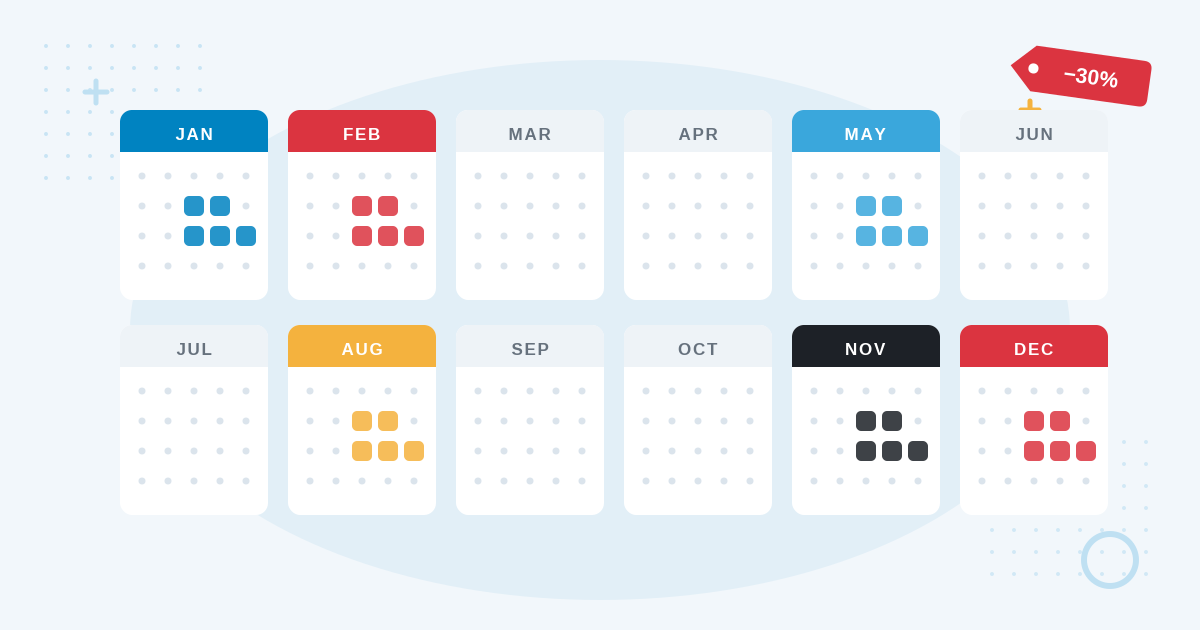
The table below is a planning menu, not a claim that every month brings a traffic peak. The final column recommends when to publish useful new pages or substantially refresh existing ones. Offer activation follows confirmed merchant dates. You’ll need to move deadlines earlier where your own demand history supports it.
| Month | US opportunities | UK opportunities | Page-work starting window |
|---|---|---|---|
| January | New Year fitness; winter clearance | January sales; fitness and home organization | Previous November–December |
| February | Valentine’s gifts; Presidents’ Day home offers | Valentine’s gifts; half-term activities | December–January |
| March | Spring home and garden; Easter if applicable | Mother’s Day when it falls in March; spring gardening | January–February |
| April | Easter when applicable; spring clothing | Easter breaks; Mother’s Day if it falls in April | February–March |
| May | Mother’s Day; Memorial Day; graduation | May bank holidays; garden and outdoor offers | March–April |
| June | Father’s Day; summer travel and outdoor gear | Father’s Day; summer travel and outdoor gear | April–May |
| July | Independence Day; school-shopping preparation | Summer holidays; outdoor and travel deals | May–June; school pages by June |
| August | Back-to-school; late-summer clearance | School uniforms; summer bank holidays | June–July |
| September | Labor Day; college supplies | Back-to-school; autumn clothing | July–August |
| October | Halloween; early gift research | Halloween; half-term; early gift research | August–September |
| November | Black Friday; Thanksgiving supplies; holiday gifts | Black Friday; holiday gifts | August–September for year-end hubs |
| December | Christmas; Cyber Monday when it falls in December; year-end clearance | Christmas; Boxing Day sales | September–October; refresh Boxing Day coverage before Christmas |
Some rows move. GOV.UK lists separate bank-holiday calendars by nation,[2] while its school-date service says term and holiday dates vary across the UK.[3] A uniform guide should therefore use the relevant school’s return date, rather than assuming every family shops for September.
A small publisher doesn’t need twelve large campaigns. The useful output is a handful of relevant store-page deadlines, with quieter months reserved for repairs that November won’t leave time to finish.
How early does search demand start rising?
The holiday date isn’t the first shopping date. Someone comparing a £45 garden tool as a Father’s Day gift can research before a merchant announces a discount. Waiting for a coupon feed to populate means your buying guide could miss that earlier visit.
Retail evidence supports watching the whole selling period, but it doesn’t establish a universal search lead time. The Office for National Statistics’ December 2023 release reported a 2.3% month-on-month rise in seasonally adjusted non-food store sales volumes in November 2023. Retailers suggested earlier Black Friday sales and wider discounting contributed; many ran deals throughout November.[4] That’s sales evidence, not a measurement of when coupon searches increased.
For a seasonal marketing calendar without reliable history, four to six weeks before smaller occasions is a reasonable page-ready allowance. For back-to-school or moving spring events, allow six to eight weeks; for major year-end campaigns or a new store collection, allow eight to twelve. These are editorial starting points, not observed demand curves or promises about indexing.
Your own search data can replace those estimates. Group related queries by event and country, then compare weekly search impressions with a quiet-period baseline. Impressions count appearances in search results, so they’re a warning signal rather than completed purchases.
Say a US gift-query group averages 50 weekly impressions during a quiet period. You could flag the first of two consecutive weeks reaching at least 75: (75 − 50) ÷ 50 × 100 = 50% above baseline. That’s a chosen monitoring threshold, not an industry standard. Check that ranking or tracking changes didn’t cause the increase.
Then plan next year’s page-ready deadline before that first sustained rise. If the numbers are tiny, don’t trust the percentage alone. A country-specific relative-interest chart from a search-trends tool can provide context; your outgoing clicks help show whether visitors actually wanted the offers.
Give store pages a head start, then add event pages
A rushed event page often repeats existing coupons with a seasonal heading. Say a hypothetical Bristol site creates separate “November discounts” and “Black Friday vouchers” pages for the same kitchenware store. Visitors get identical offers, while the editor now has two pages to maintain.
Keep the store page as the durable destination for that merchant’s current coupons. Before the event, check delivery eligibility, code instructions, exclusions, and the links visitors use. Stable URLs reduce unnecessary page replacement and give newsletters somewhere dependable to send shoppers. The affiliate SEO guide covers the wider search work behind those pages.
A separate event hub earns its place when it helps people compare stores or solve a different buying problem. A school-shopping page might group uniform, shoes, and stationery offers by delivery cutoff. That’s useful even before a special school promotion exists.
Publish what you can verify. You’ll often have ordinary live offers, category advice, and a clear statement that seasonal promotions haven’t been announced. A planned sale mustn’t become a fabricated coupon. Last year’s discount can appear as clearly dated historical context, but it can’t sit in the active offer list.
Allow time after publication to check page accessibility, internal links, and indexing status. There’s no fixed waiting period that guarantees search visibility. Early publication creates room to diagnose problems; it doesn’t make an empty page valuable.
Schedule checks before, during, and after each peak
A correct page can become misleading within hours. A code may exclude gift sets, a delivery deadline may pass, or an imported offer may expire at midnight in another time zone. A daily newsletter can keep sending visitors after the page has changed.
Your refresh schedule should follow the risk of stale information. The starting schedule below suits a small editorial team; faster-changing offers need more frequent checks. Automated imports can reduce entry work, but they don’t replace checks of the promotion’s meaning. The guide to scheduled coupon imports explains the scheduled-import side.
| Stage | Suggested check | Reason |
|---|---|---|
| Quiet months | Review priority store information monthly; check offers at their recorded expiry | Keep the permanent page accurate |
| Four weeks before | Review event copy and linked stores weekly | Resolve gaps before visits increase |
| Final week | Check featured offers daily and before each newsletter | Avoid amplifying stale codes |
| Live sale | Recheck high-traffic offers after merchant changes; remove expired entries promptly | Protect visitors arriving during rapid changes |
| After the event | Clean up within two working days; review performance after reporting settles | Separate current deals from historical results |
Each offer record benefits from an expiry time zone and a last-checked timestamp. Unknown expiry shouldn’t become an invented date. You can label the uncertainty and give that offer an earlier manual review.
Christmas needs another deadline: the last confirmed order date for delivery. Once it passes, a physical-gift offer may still save money, but your page shouldn’t promise arrival before Christmas. Switching the relevant section to verified collection options or digital gifts keeps it useful.
After a recurring event, retain its useful URL, mark the sale as ended, and direct readers to current store offers. Don’t change the year in the title until the content has actually been refreshed. Old terms need removal, not a cosmetic date swap.
Choose events by maintenance capacity
Large shopping occasions can eat a small site’s entire week. Say a coupon site in Leeds has six editorial hours available each week. Adding twenty seasonal store pages sounds productive until nobody has time to verify them.
A simple capacity calculation makes the trade-off visible. If eight priority stores each need fifteen minutes per check, 8 × 15 = 120 minutes, or two hours. Two rounds each week consume four hours, leaving two of the six hours for writing and cleanup. Those times are hypothetical; you’d replace them with your measured workload.
So fewer supported stores may be the better choice. Give priority to merchants with usable offers for your audience and a record of approved commissions. A high commission rate won’t help if exclusions prevent visitors from buying.
Review earnings after returns and commission reversals have settled. EPC means earnings per click; use approved earnings divided by tracked outgoing clicks, with the same period and click definition for every campaign. The affiliate marketing metrics guide explains the wider measurement decisions. Keep search impressions separate: they tell you about discovery, not revenue.
Frequently asked questions
How far ahead should a coupon site publish seasonal pages?
A page published the day before a sale leaves little time to find indexing or content problems. As a starting allowance, aim for four to six weeks before smaller events and eight to twelve weeks before major year-end campaigns. These are planning recommendations, not guaranteed ranking times. Existing store pages usually need a refresh rather than a new URL. Where you have prior-year data, work backward from the first sustained demand rise instead of the holiday itself.
Should US and UK coupon sites use the same calendar?
A US Mother’s Day reminder can reach UK readers after their celebration has passed. One calendar can manage both markets, but each event needs a country field and separate offer checks. Mother’s Day falls on different dates, UK bank holidays vary by nation, and school dates need local confirmation. Shared events still require checks for currency, delivery eligibility, and expiry time. Separate scheduling prevents an offer reaching shoppers who can’t use it. Country-specific newsletter segments also reduce the risk of sending a correct offer to the wrong audience.
What should happen to a seasonal deal page after the sale?
An expired seasonal page can disappoint visitors who still find it through search or old emails. Remove expired offers from the live list, explain that the sale has ended, and link to current store deals. Keep a recurring event URL when it remains useful. Record results and the first demand-rise week so next year’s publishing deadline has evidence behind it. A page with no continuing purpose doesn’t need to survive merely because it once promoted a sale.
Put the next page-ready date on your calendar
The next event can sneak up while you finish the current one. A Valentine’s guide abandoned in February will need the same repairs next January.
Your next useful calendar entry is the date one relevant store page will be ready, with an editor responsible for it. Pair that deadline with its first offer check. The seasonal marketing calendar then becomes a working publication plan, rather than a list of occasions you remembered too late.