Say a shopper bookmarks /store.php?id=482, then finds that a redesign sends the bookmark to an error page. Replacing it with a prettier address doesn’t recover the visit. SEO friendly URLs need clear names, working routes and continuity. For a coupon site, stability is especially useful because offer descriptions change far more often than the stores themselves.
couponPHP is a self-hosted PHP coupon and deal script with editable routes and store permalinks based on domain or title. Its SEO features provide naming options; your installed version and server configuration determine which routes actually work.
Design SEO friendly URLs around stable page identities
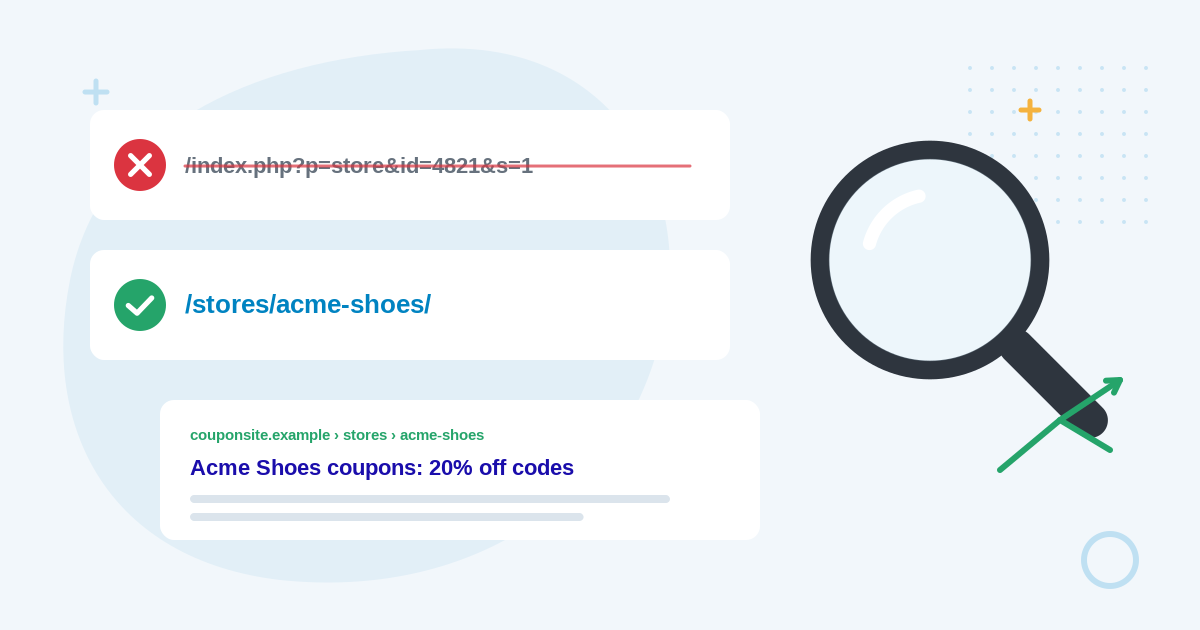
A route such as /stores/harbor-outdoors/ tells a reader more than a bare database ID. An offer route such as /coupons/harbor-outdoors/free-delivery/ can identify a specific promotion without repeating a long sales headline. These are illustrative structures, not promised default routes.
SEO friendly URLs use names that survive routine edits. Dates, changing percentages and claims like “best ever” can become inaccurate slugs. A meaningful address won’t replace useful content; the affiliate SEO guide connects routes to the pages they identify.
The IETF’s RFC 3986 (2005) defines URI syntax, including the path and query components.[1] It doesn’t prescribe a search-ranking formula. Both hyphens and underscores are valid unreserved characters. Hyphens are a practical word separator because they make a phrase easy to read; that is different from claiming underscores invalidate a URL.
Use lowercase consistently, without assuming paths ignore case
A developer may expect /Stores/Harbor-Outdoors/ and /stores/harbor-outdoors/ to be interchangeable. The application might serve different pages or return an error for one version.
RFC 3986 (2005) makes schemes and hosts case-insensitive, but other generic components are assumed case-sensitive unless defined otherwise.[1] You can use lowercase when generating slugs to reduce accidental variants. Existing mixed-case paths still need tested normalization; lowercasing arbitrary URLs can break their destinations.
Your policy can also choose one trailing-slash form. Consistent internal links are easier to audit than several spellings of the same route. Percent-encoding needs care too: reserved characters have structural meanings, so indiscriminate decoding can change what an address identifies.
Choose domain or title permalinks for recognition
The original article describes two store permalink options. A domain-based slug may remain recognizable when a store title contains a tagline. A title-based slug may be clearer when a retailer’s domain is abbreviated or differs from its trading name.
Neither option is universally better. You can compare the names your audience recognizes, then consider collisions and future changes. Two stores with similar titles may need a country or another stable distinction. A later title edit shouldn’t silently generate a new public route without a migration plan.
The archive’s removed punctuation and numeric examples are historical outputs. Test the current behavior in your own version before assuming that changing a display name changes—or preserves—the slug.
Keep list routes and detail routes understandable
A visitor landing on /deals/ expects a list; someone opening a particular deal expects its details. The original settings let owners name list sections and detail prefixes, plus store routes and suffixes.
You can make those patterns consistent where the router supports it. A store’s coupon list might be /stores/harbor-outdoors/coupons/, while a specific offer has its own route. Sharing a visible prefix doesn’t create navigation automatically: breadcrumbs and ordinary internal links still need to lead to the intended parent page.
Avoid unnecessary numeric IDs when stable unique slugs work. But the original /coupon/random-coupon-permalink/123 example may use the ID for lookup. Removing it without changing the router can break the page. Numbers are valid syntax; a required ID is preferable to a broken address.
Changing prefixes to chase a keyword is rarely a sound maintenance reason. A better question is whether a shopper can predict the page behind the link. Our thin-content guide addresses the more important problem of offer pages that don’t add useful information.
Plan redirects before changing published routes
A route edit can strand years of references. You can export the affected URLs first and map each to its equivalent replacement. For example, an old store route should lead to that store’s new page, not an unrelated category or the homepage.
IETF RFC 9110 (2022) defines 301 as a permanent redirect and 308 as a permanent redirect that preserves the request method.[2] For ordinary public GET pages, either can express a permanent move when implemented correctly. Form submissions and other methods need separate testing.
The response should send the visitor directly to the final destination. After deployment, your internal links, canonical URL declarations and sitemap should consistently identify the new routes. A canonical declaration doesn’t transport a visitor from a broken bookmark; that needs a working old route and redirect.
You can test a store, coupon, deal and category first, checking status codes and destination content. Error logs can expose failures during rollout. The server requirements explain the Apache rewrite dependency; backed-up settings give you a recovery path if a change fails.
The original 2016 post
The recovered wording and examples are preserved verbatim below. Keyword-heavy prefixes and historical tool suggestions are not current recommendations. Original link markup is archive text rather than active commercial links.
Basic CouponPHP script provides quite a lot ways to improve your site’s SEO. Let’s dig into it!
We will take demo.couponphp.com as a testing ground, assuming that you as a CouponPHP client have the same up to date version of the script. SEO settings for you coupons and deals site are in Admin area→ Configuration→ SEO Settings.
Store Permalink Type
Permalink is the way how a link to the store will look like. We have here 2 options: domain or title of the store. Taking as an example “allbeauty.com (formerly Cheapsmells)” store’s title we get: Domain permalink: *the demo site Title permalink: *the demo site
A title permalink is usually more informative and looks more natural. But people sometimes search for deals with a domain name and some stores like American Eagle, aeo.com have a very different domain name from its title. So it is up to the webmaster what focus to in the store’s url.
Coupons, Deals, Stores (lists)
Here we set how we want to name the coupons, deals or stores sections of our website, almost everyone chooses just simple default coupons,deals,stores, but we can be more creative and choose something like fresh-coupons or anything that has traffic but is less competitive according to Google Adwords Keyword Planner tool. Just remember that Google considers a dash ‘-‘ as a words’ delimiter but not an underline ‘_’.
Coupon, Deal details(permalink)
This section can be not quite obvious, default value is coupon/deal and example gives us *the demo site can be more useful to copy the values from Coupons,Deals(lists) section to create a hierarchy, making *the demo site as a parent and *the demo site as a child. So it will be more natural for a visitor to understand site’s navigation.
Store, Store coupons, Store deals
In the Store section we can set prefix and suffix for the store’s name. Instead of amazon-uk/deals why not to make for example the-best-amazon-uk/deals, the only problem is to find the least competitive keywords but still with sufficient amount of traffic, again Google Adwords Keyword Planner tool will be helpful here.
Category, User profile, Outgoing click, Collection, Blog
These settings are quite simple, we don’t want all the sites on the Coupon PHP script be identical, so guys be creative, use your own keywords in the urls!
Like the article? Write us your opinion and maybe a topic you would like us to write in the future.
Frequently asked questions
What makes a coupon URL SEO friendly?
A useful coupon URL identifies the page clearly, follows a consistent structure and remains stable as offer wording changes. Lowercase slugs and hyphens can make that structure easier to manage and read. The route must still return the right content. A readable URL does not compensate for expired offers, weak pages or broken internal links.
Should I remove numeric IDs from coupon URLs?
Avoid unnecessary public IDs when your application supports unique, stable descriptive slugs. However, an ID may be required for routing or distinguishing offers. Numbers are valid URL characters and do not make a page unindexable. Do not remove an ID from a working route unless you have tested lookup behavior, collisions and redirects from the old URL.
What happens when I change store permalinks?
Existing bookmarks, internal links and external references may point to the old routes. You should map each changed URL to the equivalent new page, implement permanent redirects and update your own links and sitemap. Test the destination and status code before rollout. Changing a route in the admin interface alone does not demonstrate that old addresses will keep working.
A stable route is worth more than a fresh keyword
Your next improvement to SEO friendly URLs should begin with a route inventory and a redirect map. If the current address is clear and works, a cosmetic slug change may add more migration risk than reader value.